Get started
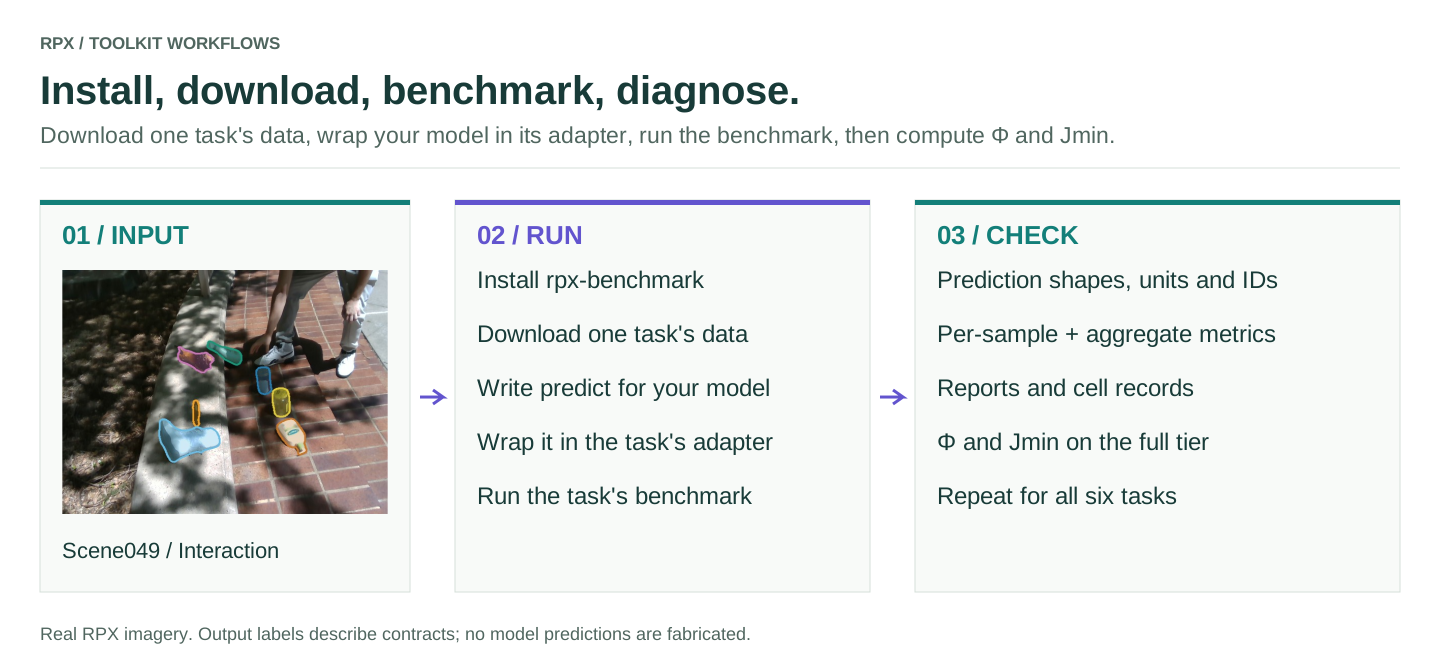
RPX gives you the data, an adapter per task that connects your model's inputs and outputs to RPX, the benchmark with the paper's protocol and metrics, and a calculator for Φ and 𝒥min. You write one function that runs your model.
1. Install
Python 3.10–3.12. hub downloads RPX from Hugging Face; schemas validates manifests. Your model's own dependencies
are installed separately.
2. Download one task's data
import numpy as np
import rpx_benchmark as rpx

manifest = rpx.download_split("monocular_depth", "easy", max_samples=6)
Only the files this task needs are fetched (about 160 MB for this 6-frame trial, no login), and the call returns the
path of a local manifest. Drop max_samples for the whole Easy tier (33 scenes × 3 phases). The download name for
each task is in the task table.
3. Wrap your model in the task's adapter and run the benchmark
def predict(rgb):                               # RPX passes an RGB image (H, W, 3)
    return np.ones(rgb.shape[:2], np.float32)   # return depth (H, W) in metres; replace with your model

model = rpx.make_numpy_depth_model(predict, name="my-model")
result, report, paths = rpx.run_monocular_depth(rpx.MonocularDepthRunConfig(
    model=model, manifest_path=str(manifest), output_dir="rpx_results/my-model",
))
print(result.aggregated["absrel"], result.aggregated["delta1"])
predict can call a local model or an API. The adapter checks shapes and units, resizes your output to the ground
truth and keeps sample IDs aligned; the runner reads only the downloaded copy. result.json, summary.md and
per-sample tables land in output_dir. Relative-depth models pass depth_output_kind="relative" to the adapter.
4. Calculate Φ and 𝒥min
from rpx_benchmark.examples.summarize_metrics import calculate, read_records

summary = calculate(read_records(paths["json"]), ["absrel", "rmse", "silog", "delta1"])
The summary holds phase robustness Φ, worst-phase quality 𝒥min and the quality per phase. Φ needs all three
phases of many scenes, so run a full tier first. The same calculator is a command,
python -m rpx_benchmark.examples.summarize_metrics --input rpx_results/my-model/result.json --metrics absrel rmse silog delta1 --output phi.json.
See the Φ and JEDI guide for each task's paper metric list.
Every paper task
| Task | Download name | Adapter | Benchmark |
|---|---|---|---|
| T1 Image depth | monocular_depth |
make_numpy_depth_model |
run_monocular_depth |
| T2 Video depth | video_depth |
make_numpy_video_depth_model |
run_video_depth |
| T3 Tracking | object_tracking |
make_numpy_tracking_model |
run_object_tracking |
| T4 Camera pose | relative_camera_pose, manifest_name="relative_pose" |
make_numpy_pose_model |
run_relative_pose |
| T5 VQA | rpx.download("T5") (packaged questions) |
none: your function returns text | rpx_benchmark.vqa.evaluate_vqa |
| T6 In-context VQA | rpx.download("T6") |
none | rpx_benchmark.vqa.evaluate_vqa |
The dummy models show what each task's function receives and returns, and the six task guides walk through each one.
Try any task without writing code
python -m rpx_benchmark.examples.benchmark_tasks --task T2 --split easy --max-samples 2   # download + score a dummy model
python -m rpx_benchmark.examples.benchmark_tasks --task all --smoke                       # check the install, no download
From Python, rpx.benchmark("T2", rpx.download("T2", max_samples=2)) does the same.
Use a local copy of the data
If RPX is already on disk, point the runner at a task manifest instead of the Hub:
import rpx_benchmark as rpx

# Replace this with your actual model import.
from my_model import predict_depth

model = rpx.make_numpy_depth_model(predict_depth)
cfg = rpx.MonocularDepthRunConfig(
    manifest_path='manifest.json',
    output_dir='results/my-depth-model',
    device='cpu',
    skip_flops=True,
    model=model,
    max_samples=10,
)
result, report, paths = rpx.run_monocular_depth(cfg)
print(result.aggregated)
print(paths)
my_model is your code, not an installed RPX module. Use device="cuda" when your model supports it. Check that the
sample count and scene/phase IDs match your manifest before comparing scores.
What else is here
from rpx_benchmark.tasks import available_tasks
from rpx_benchmark.metrics import available_metrics

print([task.value for task in available_tasks()])
print(available_metrics())
Connect any model or API · Hardware profiler · Add a metric · Add a task